Timers
Set timers and reminders for cooking, workouts, deadlines, and anything time-sensitive.
Keep track of time
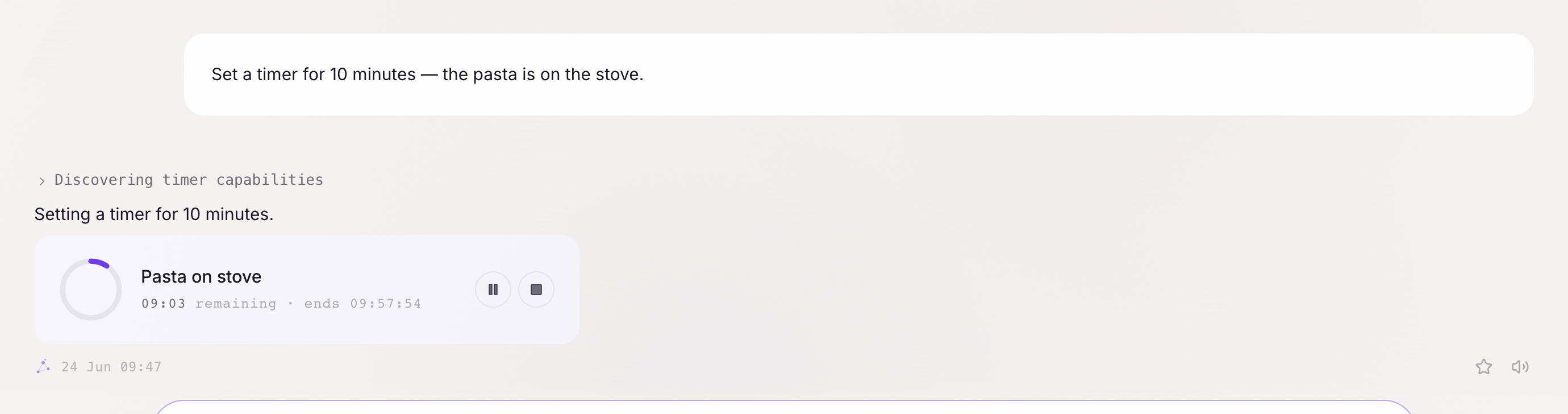
Chalie can set countdown timers that notify you when they expire. The timer appears as a live card in the chat — you can see it ticking down, pause it, or stop it at any time. This is useful for cooking, workouts, focus sessions, or any time-limited task.
Getting started:
- “Set a timer for 15 minutes.”
- “Start a 3-minute egg timer.”
- “Give me a 25-minute Pomodoro timer.”
Basic timers
State a duration and Chalie starts counting:
- “Set a 10-minute timer.”
- “30 seconds, please.”
- “Timer for 1 hour 45 minutes.”
When the timer expires, Chalie sounds an alarm and shows a notification. If you’re using voice, it speaks the alert out loud. Timers can be set for any duration up to 24 hours.
Named timers
Give a timer a name so you know what it’s for:
- “Set a 20-minute timer for the pasta.”
- “Start a 45-minute timer called ‘focus session’.”
- “10-minute timer for the sourdough stretch-and-fold.”
The timer card shows the name throughout the countdown, and the name appears in the notification when it goes off.
Multiple simultaneous timers
You can have several timers running at once:
- “Set a 12-minute timer for the chicken and a 5-minute timer for the rice.”
- “Start two timers: one for 30 minutes and one for 1 hour.”
Each timer runs independently in its own card and notifies you separately.
Checking active timers
Ask what’s currently running:
- “What timers do I have going?”
- “How long is left on my pasta timer?”
Cancelling a timer
Change your mind? Just cancel:
- “Cancel the pasta timer.”
- “Stop all my timers.”
Difference from Scheduling
Timers count down from a duration (e.g., “in 15 minutes”) and are visible as a live widget in the chat. They don’t persist if you close the app. For time-based reminders tied to a specific clock time, or recurring tasks that run in the background, see the Scheduling guide.