Lists
Create and manage lists for shopping, tasks, ideas, and anything else you want to track.
Lists for everything
Chalie can create and manage any kind of list — grocery lists, to-do lists, packing lists, wishlists, idea collections. Lists persist across conversations so you can build on them over time.
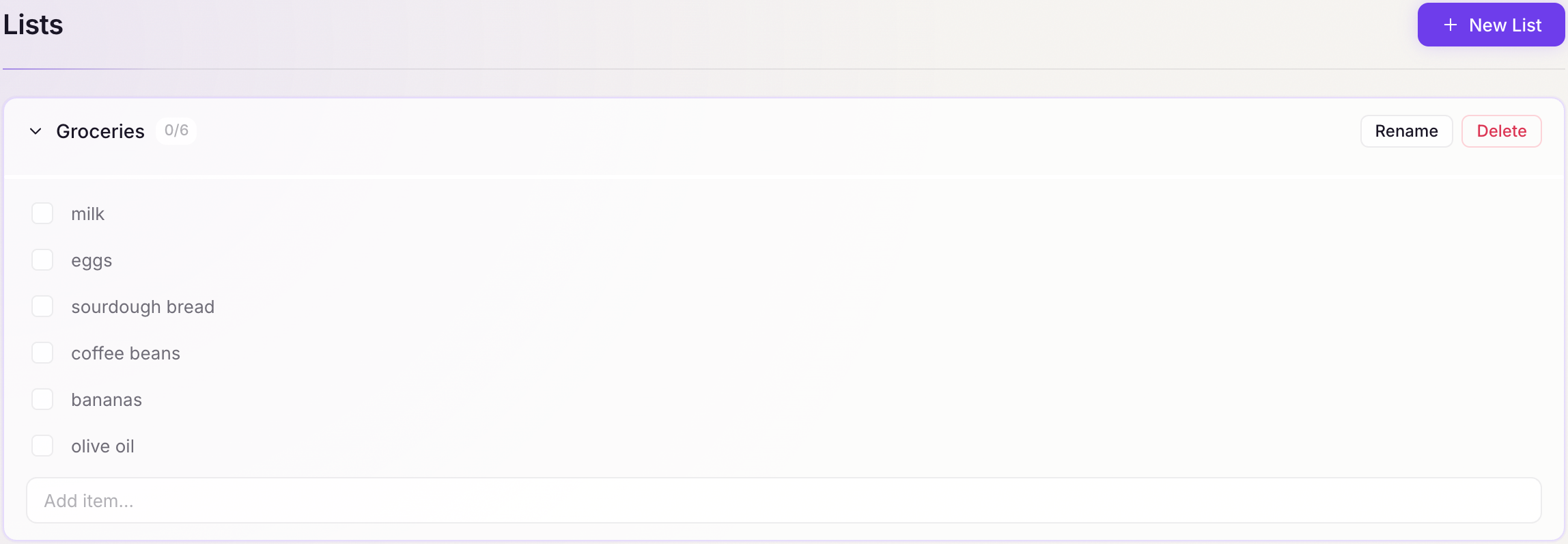
Getting started:
- “Create a grocery list with milk, eggs, and bread.”
- “Start a packing list for my trip to Berlin.”
- “Make a to-do list for the kitchen renovation.”
Adding items
Adding to an existing list is natural:
- “Add apples and olive oil to my grocery list.”
- “Put ‘buy travel adaptor’ on my Berlin packing list.”
- “Add ‘call the plumber’ to my to-do list.”
Chalie finds the right list from context — you don’t need to use the exact name.
Viewing a list
Ask to see any list at any time:
- “What’s on my grocery list?”
- “Show me my to-do list.”
- “What do I still need to pack for Berlin?”
Checking items off
Mark items as done as you go — and uncheck them if you change your mind:
- “I got the milk and eggs — cross those off my grocery list.”
- “Mark ‘call the plumber’ as done.”
- “Actually, uncheck the milk — I need to get more.”
Removing items
Permanently remove items from a list (different from checking them off):
- “Remove eggs from the shopping list.”
- “Take ‘call the plumber’ off my to-do list.”
Renaming and clearing lists
Rename a list or empty it without deleting it:
- “Rename my chores list to ‘weekend chores’.”
- “Clear my grocery list — I’ve done the shop.”
Multiple lists
Chalie tracks as many lists as you need. Each has a name, and you can switch between them by referring to the list by name or by context:
- “Add this to my shopping list, not the hardware list.”
- “What lists do I have?”
- “Delete the Berlin packing list — the trip is over.”
Sharing lists
Lists are stored locally and are not shared by default. If you need to share a grocery list with a partner, the simplest approach is to ask Chalie to read it out loud or copy the contents so you can paste it into a message.